Adds one supamode schema. Your tables, data, and RLS policies stay untouched.
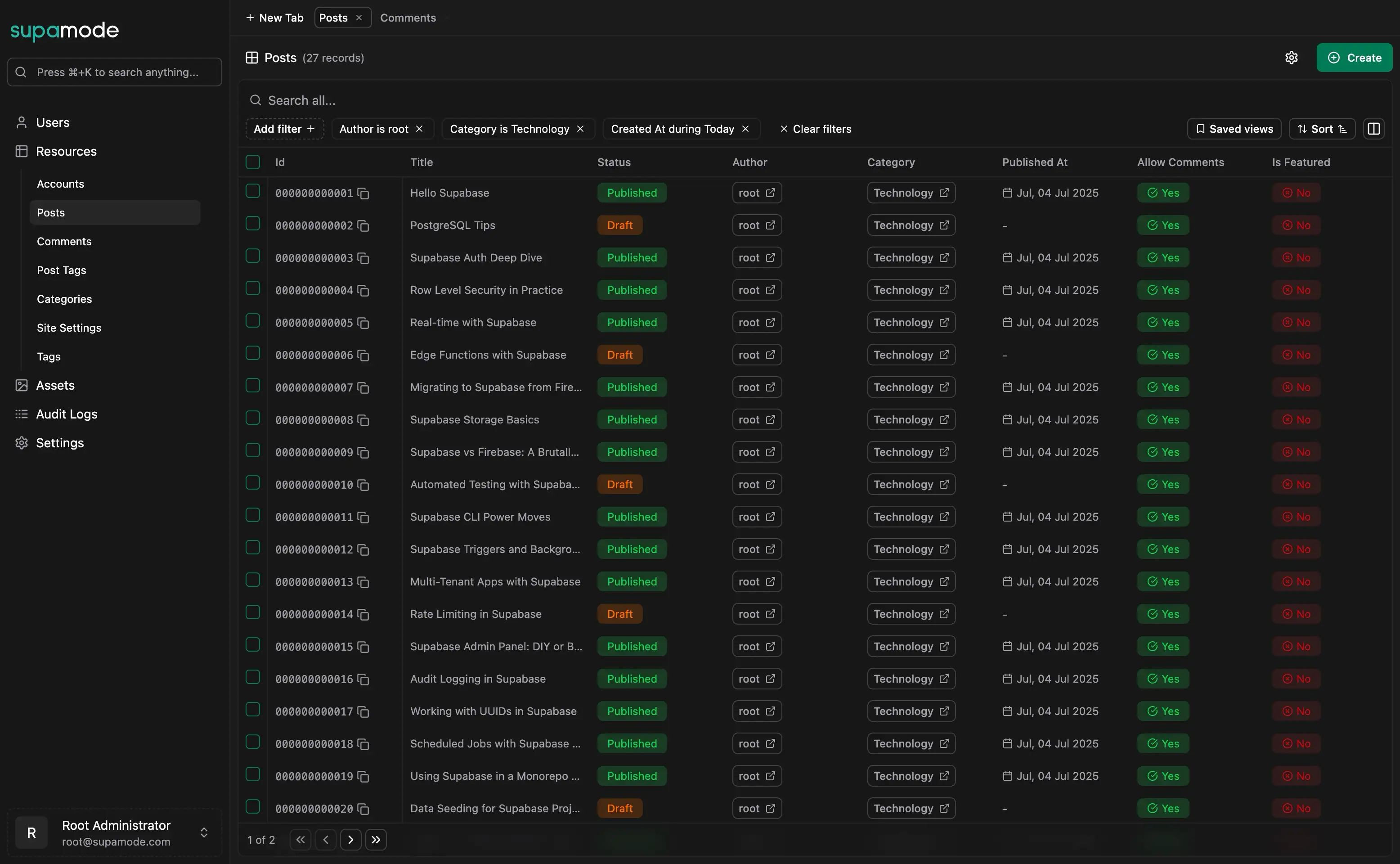
A CMS built on the schema you already haveSupamode reads your Supabase tables, columns, and foreign keys and builds the editor from them. There is no content model to define and no data to migrate.
Loading video...
Self-Hosted & Secure
Supamode runs on your own servers and connects straight to your Supabase project.
Your content never passes through a third-party service, and there are no monthly fees.
Built for Non-Developers
Writers and editors manage content through forms, not SQL.
Developers stop fielding "can you change this row?" requests.
Fully Extensible Codebase
You get the full source code, not a hosted black box.
Change the interface, add features, integrate with internal systems, or white-label it for clients. Built with React 19, TypeScript, Hono, and Drizzle.
One-Time Payment
Pay once and use it forever, with no per-seat or monthly fees. The first year of updates is included; renewing costs half the license price and is optional.
Edit Supabase tables like CMS contentEvery table becomes a content type your team can browse, search, and edit.
Loading video...
Browse Tables Without SQL
Move between tables, follow relations, and filter rows from one interface.
Your team finds the record they need without writing a query or opening Supabase Studio.
Smart Data Relationships
Foreign keys become clickable links and searchable pickers, so related content is one click away.
Editors work with authors, categories, and tags as names, not IDs.
Advanced Filtering & Search
Search and filter any table by any column.
Save filtered views, such as "drafts by me" or "published this week", and share them with the team.
Forms Generated From Your Columns
Each table gets a form generated from its columns and types.
Markdown editor for long text, date pickers, media uploads to Supabase Storage, and pickers for related records.
Dashboards on your Supabase dataTrack posts per week, drafts by author, or any other query your team cares about.
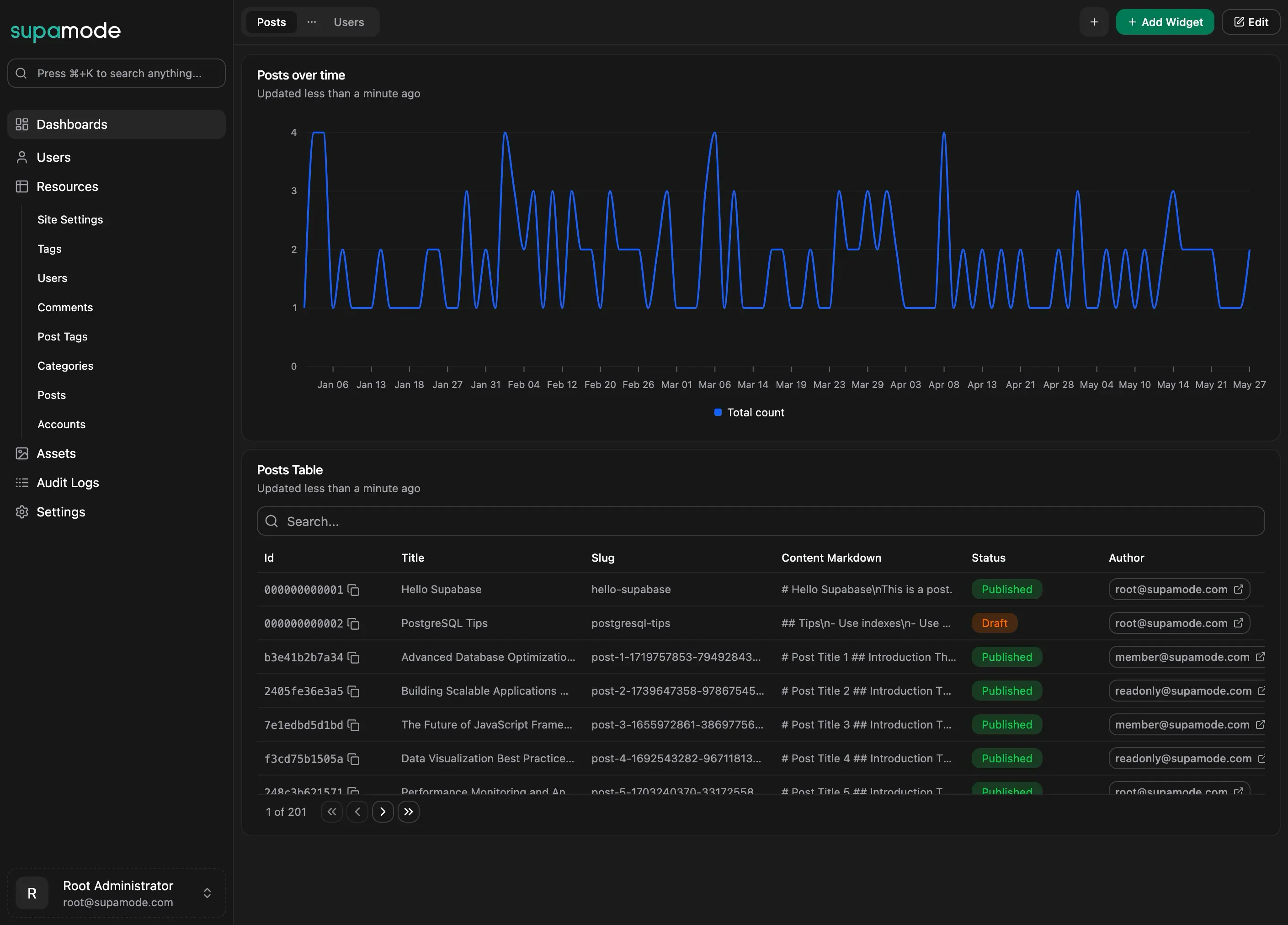
Charts, Tables, and Metrics
Chart widgets (bar, line, area) for trends, table widgets for row-level detail, and metric widgets for single KPIs.
Guided Widget Builder
A four-step wizard: name the widget, pick a data source, add filters, and check the live preview before saving.
Drag-and-Drop Layouts
Organize dashboards in tabs and arrange widgets on a drag-and-drop grid that works on any screen size.
Layouts persist across sessions. Data is cached and can be refreshed on demand.
Role-Based Dashboard Sharing
Share dashboards with View or Edit access per role, such as Support, Management, or Operations.
Role-based permissions on top of RLSDecide who can view, create, edit, and delete each type of content.
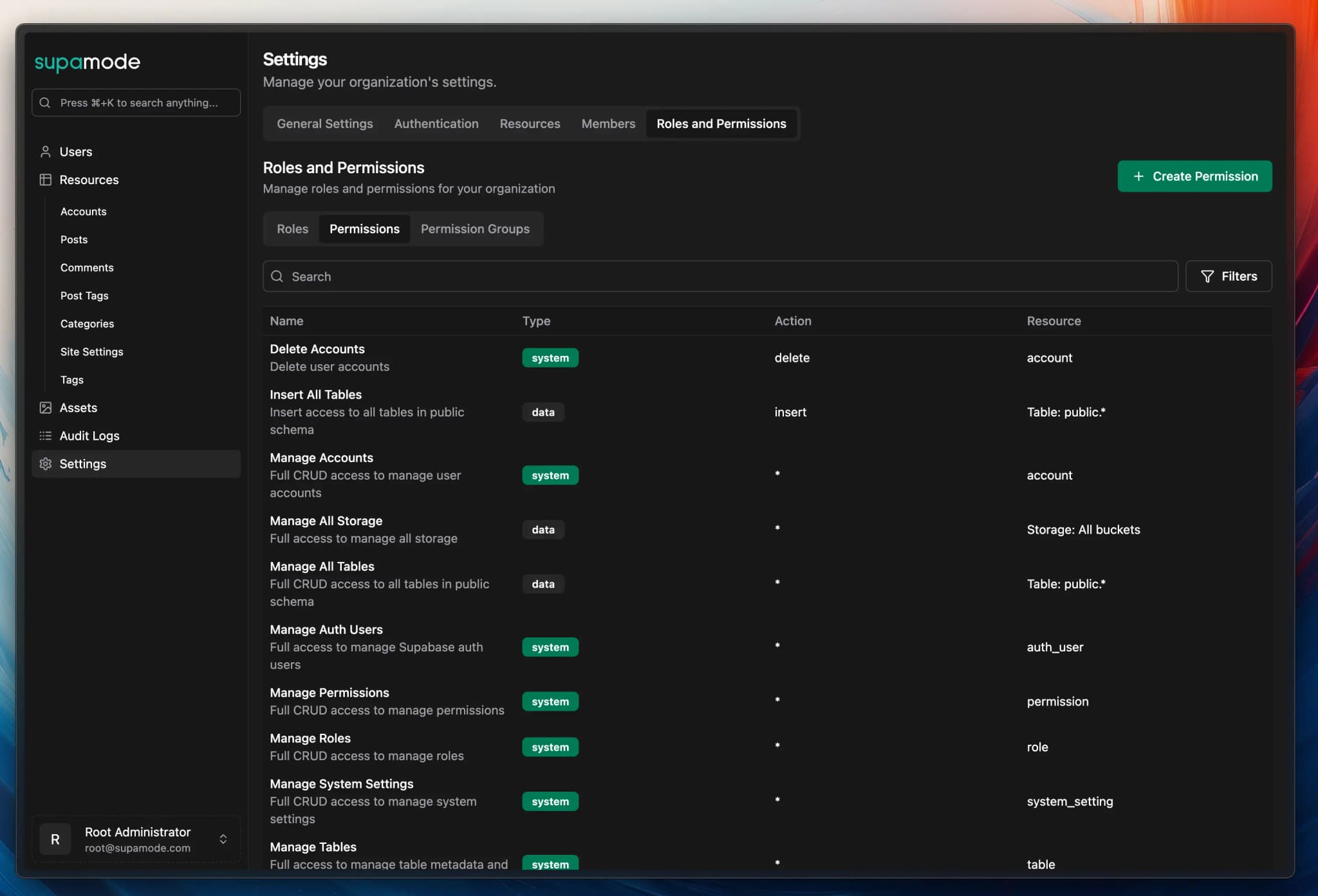
Role-Based Access Control
Create roles such as Editor, Author, or Reviewer and assign them to team members.
Supamode permissions sit on top of your Supabase Row Level Security policies, which keep applying underneath.
Table & Storage Level Permissions
Grant access per table and per Storage bucket.
Expose your content tables to editors and keep billing or user tables hidden.
Action-Based Restrictions
Set create, read, update, and delete permissions separately for each role.
Authors can draft and edit posts; only reviewers can delete them.
Built-In Audit Logging
Every change is written to an audit log.
See who changed which record, when, and what the previous value was.
Self-host it, own the codeDeploy it on your own infrastructure and change anything in the source.
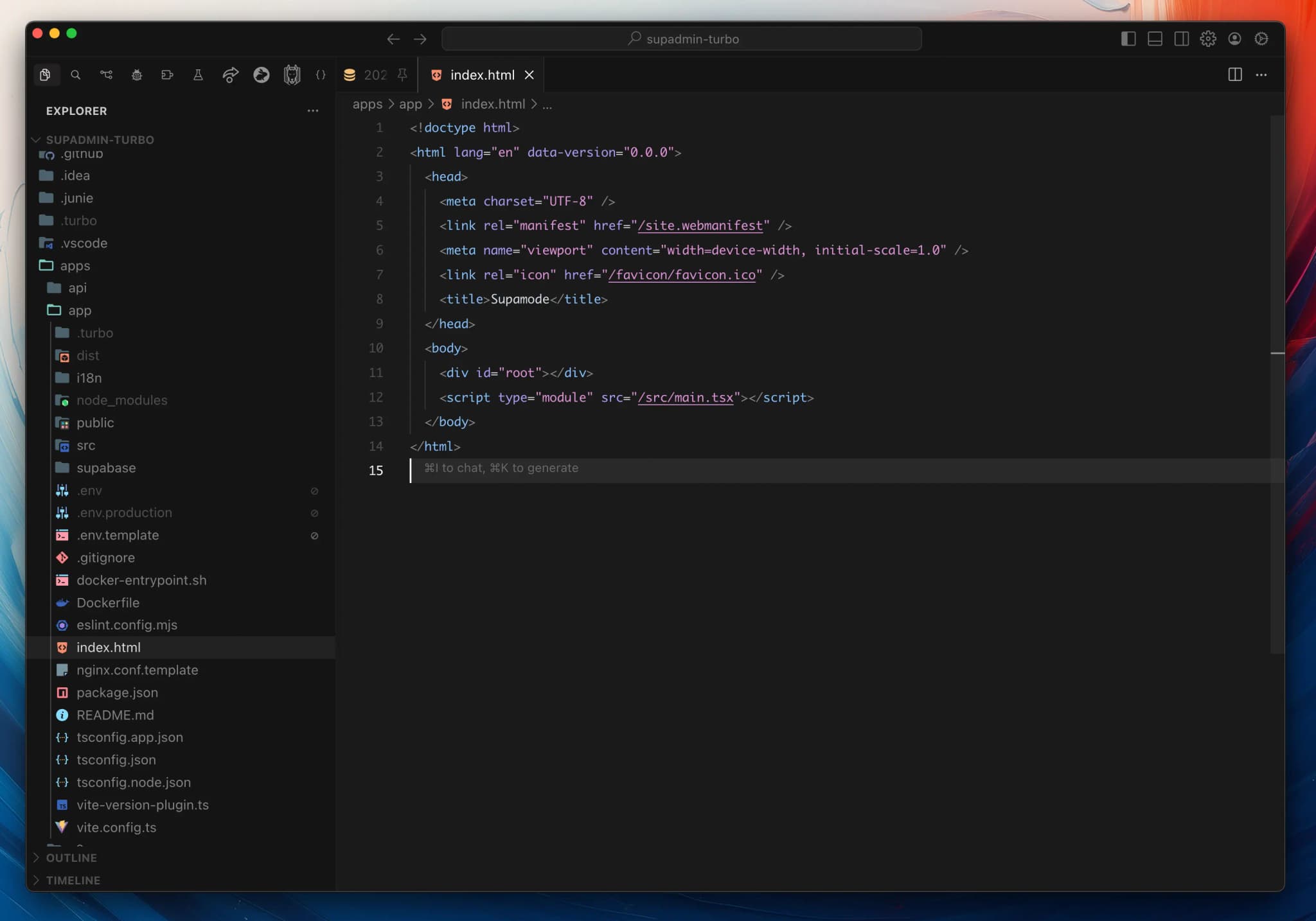
Deploy on Your Infrastructure
Host the CMS anywhere. Your content stays in your Supabase database.
Useful when compliance rules out sending content to a hosted CMS.
Full Source Code Ownership
You get the full source code.
You decide the roadmap and can adapt the editor to your exact content model.
White-Label Ready
Remove the Supamode branding and ship it under your own name.
Useful for agencies handing a CMS to clients.
Unlimited Customization
A modular React codebase with a plugin system.
Add custom field types, new screens, or integrations with external services.
Supamode vs Directus, Payload, and Supabase Studio
If your content already lives in Supabase, the question is whether the CMS adopts your tables and logins or brings its own.
| Supamode | Directus | Payload | Supabase Studio | |
|---|---|---|---|---|
| Works on your existing Supabase tables | Yes, reads your schema | Yes, introspects your database | No, you define collections in code | Yes |
| Your team signs in with | Supabase Auth | Directus user accounts | Payload user accounts | Supabase dashboard accounts |
| Where its own data lives | A separate supamode schema | directus_* tables in your database | Its own tables | Supabase platform |
| Built for non-developers | Yes | Yes | Yes | No, a developer tool |
Pricing
Pay once. No subscriptions, no per-seat fees.
$297one-time
Buy Supamode- Buy once, use forever
- Self-hosted, no monthly fees, no users limit
- Full source code customization
- Regular updates, bug fixes, and new features
- 1 year of chat support and updates (renewable)
$507.6one-time
Buy Pro Bundle- Everything in Supamode (lifetime access + 1 year updates)
- Full Makerkit Pro SaaS Kit (lifetime access/updates)
- Auth, billing, teams, and admin out of the box
- Perfect for solo founders
$744.9one-time
Buy Teams Bundle- Everything in Supamode (lifetime access + 1 year updates)
- Full Makerkit Teams SaaS Kit (lifetime access/updates)
- Auth, billing, teams, and admin out of the box
- Private Discord Threads
- Perfect for teams
Use it forever. Support and updates last one year; renewing is optional and costs half the license price.
VAT may apply in your country.
FAQ
Common questions about Supamode.
What is Supamode?
What is a Supabase CMS?
Do I need a CMS if I'm using Supabase?
Can I use Supabase as a CMS?
Should I use Directus or Payload with Supabase instead?
How does Supamode work with my existing Supabase schema?
What can I build with a Supabase CMS?
Where can I learn more about using Supabase for content management?
How does Supamode work?
supamode schema, so it doesn't interfere with your existing tables.I already have a SaaS Starter license. Do I need to buy Supamode?
Can I host it on Vercel, Fly, or on-premises?
Does it replace or complement Supabase Studio?
How quickly can I get this running?
Will this break my existing database setup?
supamode schema for its own metadata and permissions. It never modifies your existing schemas, data, functions, or RLS policies.